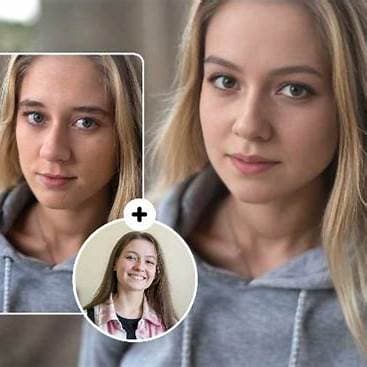
Marketing Personalization
Swap campaign faces to localize visuals for every audience segment.
Run a face swap entirely in your browser. No software to download, no GPU required, no account needed to try. Upload a source face and a target image, and your result is ready in seconds — on desktop or mobile.
100% browser-based
Nothing to install. Works on Chrome, Safari, Firefox, and Edge — desktop and mobile.
No account to start
Try free instantly. Sign up only when you want to save results or increase your monthly quota.
Results in seconds
Standard queue delivers most swaps in under 30 seconds. Priority queue available on paid plans.
Hyper-realistic face swaps in seconds across photos and short-form video.
Photo swaps under
< 10s
Video support
1080p / 15s
Upcoming
Stripe plans
Drag in a photo or video with a clear forward-facing face (JPG, PNG, WEBP, MP4).
—
Provide the face you want to apply. Keep lighting and angle similar for best results.
—
Secure AI processing — your swap appears below once complete.
Explore real face swap outcomes across marketing, entertainment, commerce, and social storytelling — all produced with faceswap.com.de.
Swap campaign faces to localize visuals for every audience segment.
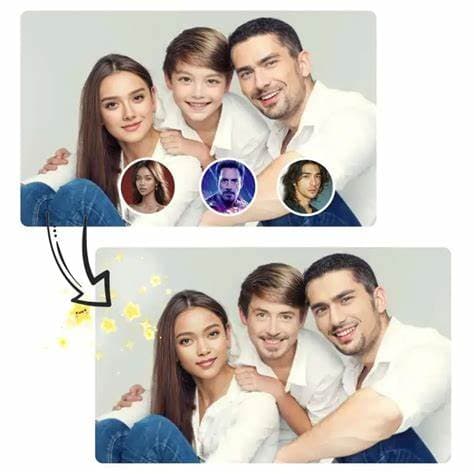
Demonstrate outfits and accessories on any persona in seconds.

Bring training videos to life by matching the host’s likeness perfectly.
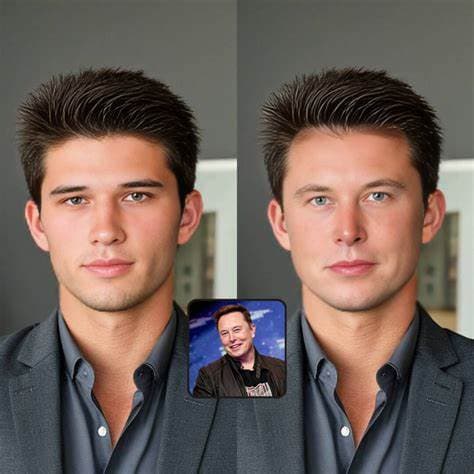
Generate polished corporate portraits consistent with your brand.
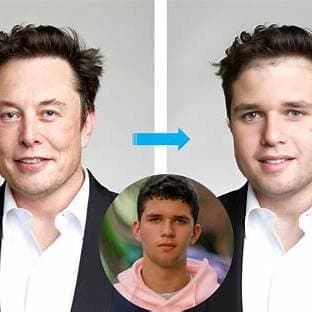
Create scroll-stopping meme reactions tailored to your community.
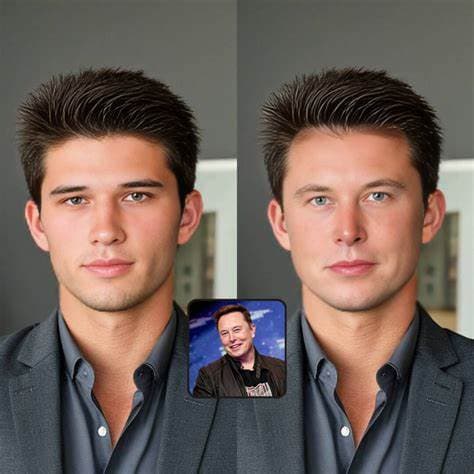
Prototype film or comic panels with rapid face replacements.
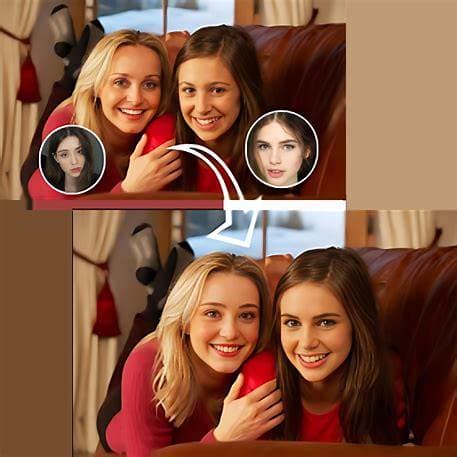
Blend streamer identities with iconic characters for collaborations.

Reimagine event footage with consistent hosts and ambassadors.

Curate editorial spreads by aligning model expressions and poses.
Unlock a world of unique effects with complete creative freedom. Explore limitless possibilities that go far beyond traditional face swapping.
Transform multiple people in one go for fast, viral-ready content.
Step into characters that match your storyboards and scripts.
Blend with anime and game avatars while retaining lifelike textures.
Explore alternate looks and perspectives with playful swaps.
Place yourself inside trending memes and GIFs instantly.
Follow this single-face workflow to render polished results in minutes.
Switch between photo or video mode, then add your source media with a clear face.
Select the face you want to apply. You can reuse faces from your library soon.
Hit the swap button and preview the result in seconds before exporting.
Single swap preview
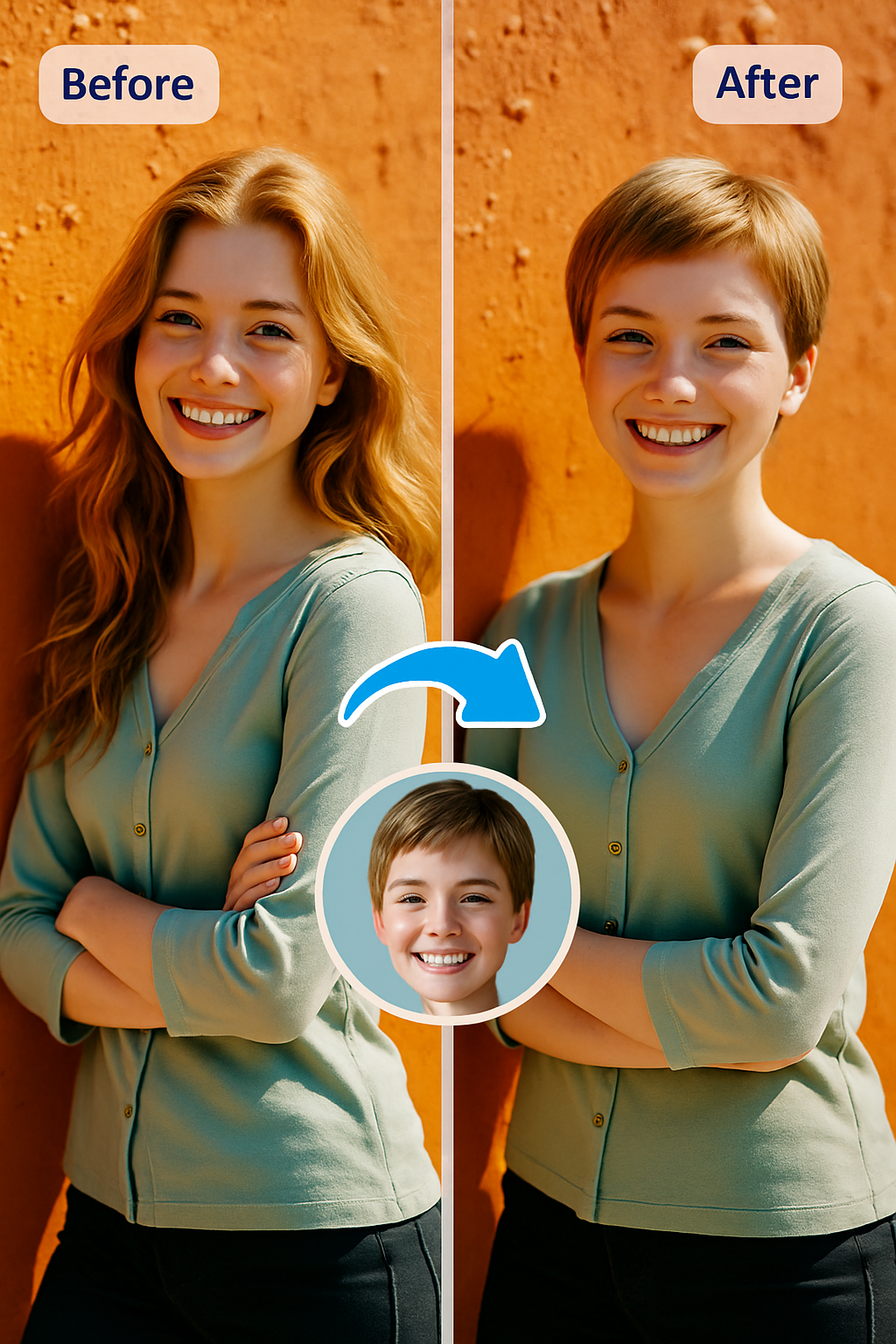
Experiment without friction. Core swaps stay free while we build premium tiers.
Optimized inference pipeline returns photo swaps in under 10 seconds.
Expression-aware blending keeps faces lifelike and convincing.
Just upload and click swap — no editing skills or plugins required.
From memes to marketing, tailor content for every audience.
Defense-in-depth safeguards uploads and generated media end-to-end.
Content stays private — never shared with third parties without consent.
Clear policies and easy data deletion controls keep you in charge.
The faceswap.com.de AI tool is ready in your browser today. Upload, swap, and share stunning results within seconds.
Desktop tools need GPU hardware, manual updates, and hours of setup. Online tools remove all of that.
| Factor | Desktop Software | faceswap.com.de Online |
|---|---|---|
| Setup time | 10–60 minutes | 0 — open and go |
| GPU required | Yes (dedicated) | No — runs in cloud |
| Updates | Manual download | Automatic |
| Works on mobile | Rarely | Yes, any browser |
| Cost to start | License + hardware | Free tier included |
| Multi-device | One machine only | Any device, anywhere |
| Maintenance | Regular patches | None |
Open the tool above
The faceswap tool is embedded on this page. No redirect, no install, no app store.
Upload your source face
A sharp, front-facing photo with even lighting gives the most reliable online output. Avoid heavy shadows or extreme angles.
Upload your target image
Choose an image where the face is clearly visible and well-lit. Simple backgrounds blend most cleanly.
Click swap and wait
Processing runs in the cloud — no local GPU needed. Standard queue completes in under 30 seconds. Do not refresh.
Review and download
Check the jawline blend and skin tone before downloading. If something looks off, adjust your source and retry.
Online faceswap works best when you need results fast without setting up software. Here are the scenarios where browser-based swapping outperforms desktop tools.
Profile photo updates
Replace a face in a professional headshot to preview how a different expression, lighting setup, or style direction looks — without reshooting. Online delivery means you can share a preview link immediately.
Social media A/B testing
Test two different face concepts for a thumbnail or post image side by side. Run both swaps online in under a minute and compare engagement potential before committing to a full production run.
Marketing mockups for client approval
Generate a face-swapped concept image to illustrate a creative direction in a pitch deck. The browser-based workflow means you can run a swap during a meeting and show the client a live result.
Wedding and event preview photos
Preview what a photo would look like with a different face — for retouching planning, composite design, or personalised invitations. Online access from any device means photographers can work from the event venue.
Film and entertainment previsualization
Test a casting or character concept before committing to production. Online faceswap gives directors and production designers a fast way to visualise alternatives without involving VFX pipelines.
Educational demonstrations
Show students or trainees what AI-generated media looks like in practice. A browser-based tool with no installation requirement means it works in any classroom or workshop environment.
Most failed online swaps have fixable input causes. Here is how to diagnose and fix the most common problems without wasting credits.
Face not detected in source image
Cause: The source image is too dark, the face is at a strong angle, or sunglasses/masks are covering key landmarks.
Fix: Use a front-facing photo in even lighting. Remove any occlusion from the face. Increase brightness before uploading if the photo was taken in low light.
Blurry or unnatural blend around the jawline
Cause: The source and target faces have different lighting directions, creating a mismatch at the blend edge.
Fix: Choose a source face photographed in lighting that matches the direction of the target image. Side-lit sources on front-lit targets always produce edge artifacts.
Skin tone mismatch between swapped area and target
Cause: The source face has significantly different skin tone or colour temperature than the target.
Fix: The AI model handles tone matching, but large differences require re-running with a source image taken in similar conditions to the target.
Processing is very slow or times out
Cause: High server queue load during peak hours or an unusually large image file.
Fix: Try off-peak hours (early morning or late evening UTC). Reduce image file size to under 5MB before uploading. Pro plan users get priority queue access.
Result looks correct but download fails
Cause: Browser popup blockers preventing the download link from opening.
Fix: Check your browser popup settings and allow downloads from this site. Alternatively, right-click the result image and use "Save image as" directly.
Yes. The tool runs entirely in your browser — no app, no plugin, no software download required. It works on Chrome, Safari, Firefox, and Edge on desktop and mobile.
No. You can run a face swap online without creating an account. Sign up only when you want to save your results across sessions or unlock more than 3 monthly swaps.
Yes. The free tier gives you 3 swaps per month at no cost. No credit card required. Pro and Premium plans unlock more swaps, higher resolution, and no watermark.
Yes. The tool is fully browser-based and works on mobile devices. Upload directly from your camera roll and download the result to your device without installing an app.
Most swaps complete in under 30 seconds on the standard queue. Priority queue on Pro and Premium plans is faster during high-traffic periods.
For most use cases, yes. The AI model runs in the cloud on high-performance infrastructure. Free tier outputs at 720p; Pro at 1080p; Premium at 4K — comparable to or better than most desktop tools without any local hardware requirement.
Standard image formats are supported: JPG and PNG. Use the highest-resolution version available for the best output quality, especially on the free tier where each swap counts.
Yes. Images are transmitted over an encrypted connection, processed in an isolated environment, and deleted after the swap completes. Nothing is retained or linked to your identity without an account.
For "faceswap online", the core audience is users who want a browser-based tool with zero installation and immediate access. Their immediate objective is to complete a face swap entirely in the browser without downloading or configuring anything. This query reflects action-ready demand with low tolerance for setup friction. This means the page must prioritize execution and quality assurance before marketing narrative.
Top-ranking pages often repeat feature lists but underdeliver on operational detail. To outperform that pattern, this page connects search intent to an actionable runbook, measurable quality checks, and direct tool access on faceswap.com.de.
Input preparation determines output success for faceswap online. Source guidance: use a clear front-facing photo with neutral lighting for consistent browser-side results. Target guidance: select well-lit targets where the face occupies enough of the frame for stable detection. These two rules alone remove a large share of failed first runs.
Operationally, this keyword depends on single-image blending and high-detail visual quality. Teams should define a minimum input quality bar before rendering so credits are spent on valid tests instead of avoidable retries.
The recommended workflow for faceswap online is open in browser, upload source and target, run swap, review, download in one session. Use web-first execution flow with predictable run-state feedback so creators can run, review, and iterate without switching tools or environments.
Every run should end with a clear decision: accept, rerun with one controlled change, or discard. Treat reruns as controlled experiments with explicit pass criteria. This keeps iteration fast and explainable across team members.
Before any export, inspect output quality and session reliability without relying on local GPU or desktop resources. Add baseline checks for face alignment, tone blending, and artifact visibility near high-contrast edges. If one critical check fails, rerun before publishing.
For teams managing multiple creators or editors, encode these checks in a shared review template. Consistent QA language reduces subjective approval loops and improves accepted-output rate over time.
The most repeated content pattern in this SERP is generic coverage with shallow execution detail. For faceswap online, the gap is most online faceswap pages emphasise feature lists rather than frictionless execution. Filling that gap improves both user completion and ranking defensibility.
A practical SERP-surpass approach is to combine intent mapping, detailed workflow steps, failure-case recovery, and direct tool usage in one page. Search engines reward pages that solve the full job-to-be-done rather than partial intent fragments.
Successful output from faceswap online should map to a concrete publish destination. Recommended channel mix: social media posts, profile updates, and quick creative projects from any device. Channel-aware QA helps prevent rework caused by mismatched format expectations.
Publishing should include version notes: source set, target set, run date, and accepted quality result. This creates an audit trail that makes future optimization faster and more reliable.
To turn faceswap online into a repeatable production stream, define scale rules early. Monetization guidance: upgrade to Pro or Premium when browser-based volume exceeds the free monthly quota. Cost model framing: throughput planning tied to accepted-output rates.
Track three weekly metrics: accepted-run ratio, average turnaround time, and publish frequency. These indicators show when to keep experimenting, when to standardize, and when to expand plan capacity.
A sustainable faceswap online workflow requires explicit governance. Baseline rule: all online usage still requires consent for any third-party identity. Add ownership logging for every uploaded asset and maintain a retention policy for generated files.
Teams that operationalize consent, rights tracking, and policy boundaries reduce legal risk while improving editorial confidence. Governance is not friction; it is the control layer that supports reliable long-term scaling.
Use this appendix section to store real production evidence for faceswap online: winning reference sets, rejected attempts, and corrections that improved acceptance rates. Replace abstract copy with project-level proof so the page remains stronger than shallow SERP competitors.
For users who want a browser-based tool with zero installation and immediate access, update this note with measurable outcomes from faceswap.com.de: accepted-run ratio, turnaround time, and publish impact. Evidence-backed guidance usually ranks better and converts better than static feature descriptions.
Pro gives you 120 swaps at 1080p, no watermark, and priority queue. Premium unlocks 400 swaps at 4K.